Top-level Charts and Drill-downs
This page explains the summary cards at the top of the Insights stats page and how to interpret them.
The contract cards are calculated against the latest central contract repository snapshot and are shown as a rolling 3-month view aggregated week by week. They cover contract test coverage, mock usage coverage, provider-only operations, consumer-only operations, and operations used by both providers and consumers.
In other words:
- Spec Metadata provides the contract baseline
- service builds are interpreted against that baseline
- the trend lines on these cards represent weekly points across the last 12 weeks
The Specmatic Usage card is separate. It shows overall Specmatic feature invocations for the selected time period.
Reading the weekly charts
The date range above the cards shows the inclusive 12-week reporting window. Each chart contains one point for each weekly bucket in that window.
For contract metrics, each weekly point represents the latest available Spec Metadata snapshot for that week. The snapshot is evaluated against the contract baseline and the service build data available at that point. The large value on each card is the value from the latest week in the selected range.
The Specmatic Usage chart is different: each weekly point is the total number of recorded Specmatic feature invocations for that week. It is a usage volume trend, not a contract coverage percentage.
Charts show direction over time; hover over a point in the Insights UI to inspect its week and value.
Downloading operations data
Use Download All Operations Data to download organization-level operation data as a CSV file. The CSV contains the operation-level data used to calculate the charts and drill-down metrics, making it useful for offline analysis and reporting.
Top Level Charts
Contract Test coverage
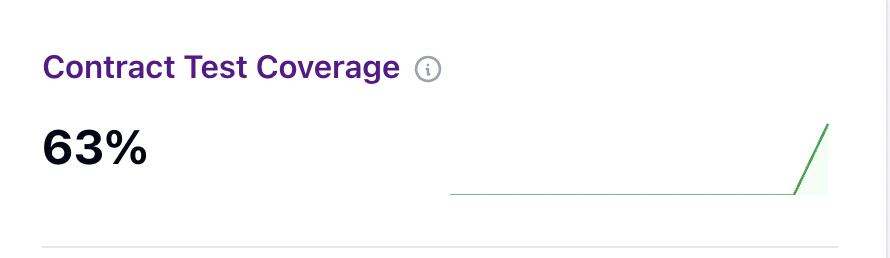
This shows how many unique contract operations are currently validated by provider-side contract tests, expressed as a percentage of all operations in the central contract repository.
For example, if the central contract repository currently contains 6 operations and provider builds cover 3 of them, the card shows 50%.
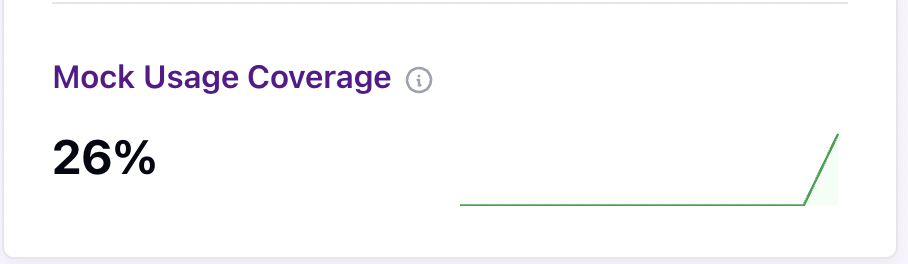
Mock Usage Coverage
This shows the percentage of unique contract operations currently used by consumers through mocks.
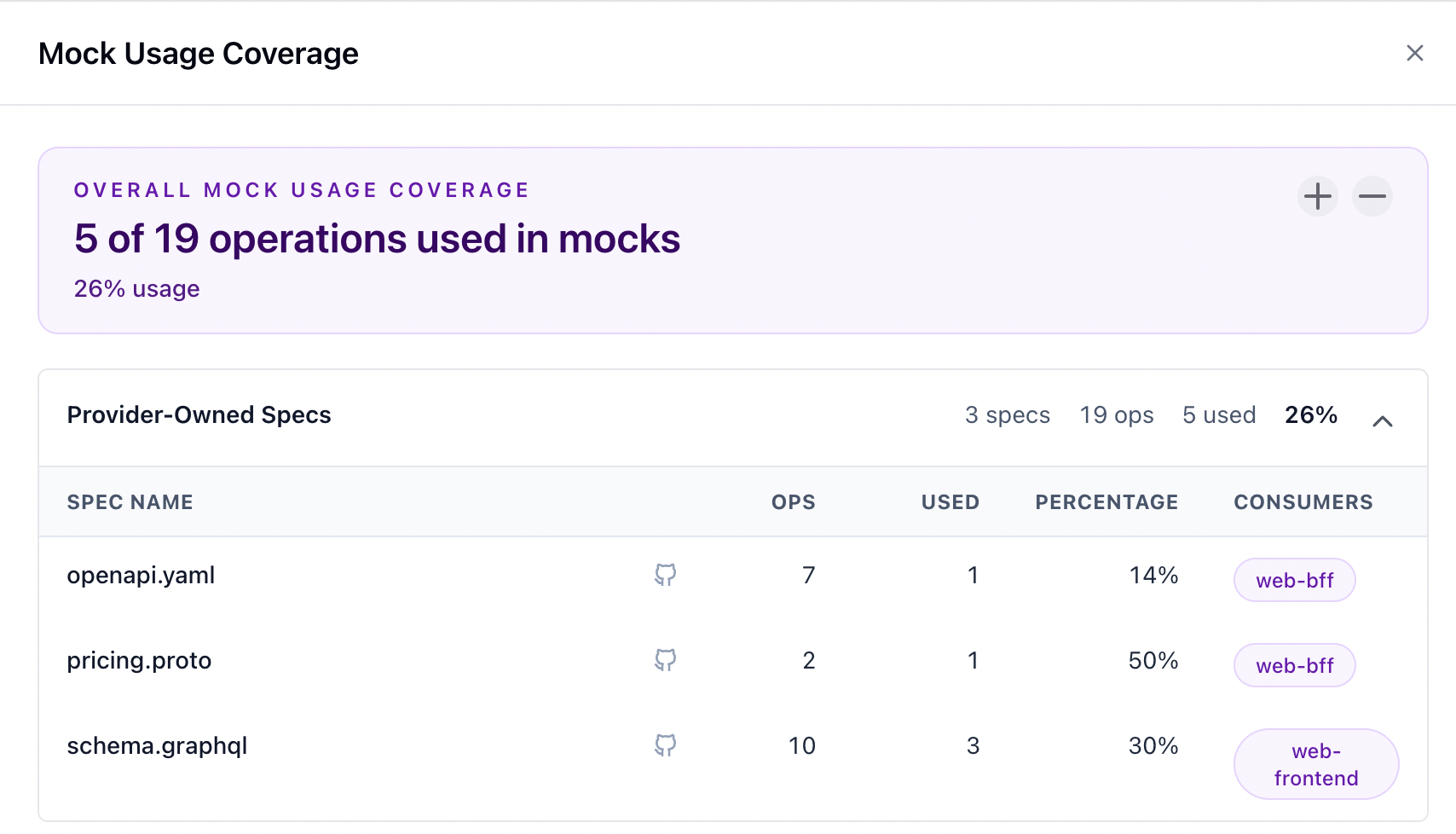
For example, if consumers mock 5 of 19 operations in the contract inventory, the card shows 26%.
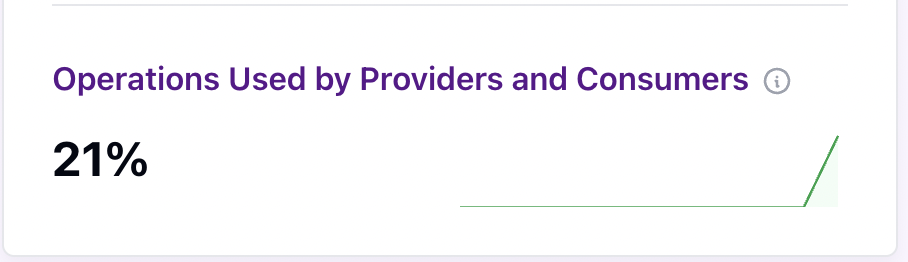
Operations used by both providers and consumers
This shows the percentage of unique contract operations that are:
- validated by provider-side contract tests, and
- used by consumers through mocks
This is the overlap between provider coverage and consumer usage.
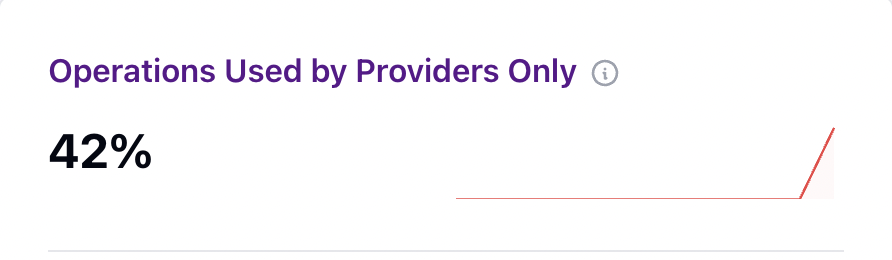
Operations used by providers only
This shows the percentage of unique contract operations that are covered by providers, but are not currently used by any consumers.
This is useful for identifying operations that are tested by providers but are not yet exercised by consumers in their mocking workflows.
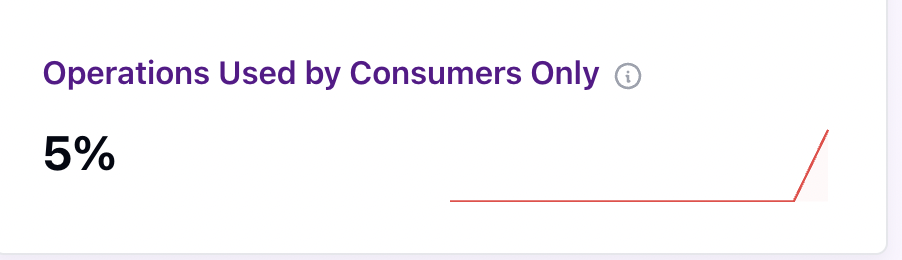
Operations used by consumers only
This shows the percentage of unique contract operations that are used by consumers through mocks, but are not validated by any provider contract tests. This is useful for identifying consumer dependencies that are not yet backed by provider-side verification.
Specmatic Usage
This card is separate from the contract stats above.
It shows the total number of Specmatic feature invocations across the last 3 months.
Its trend line is built from weekly totals across the same 3-month period.
For more on Specmatic telemetry and feature usage reporting, see Telemetry Configuration.
Example: web-bff and pricing-service
Use this simplified example:
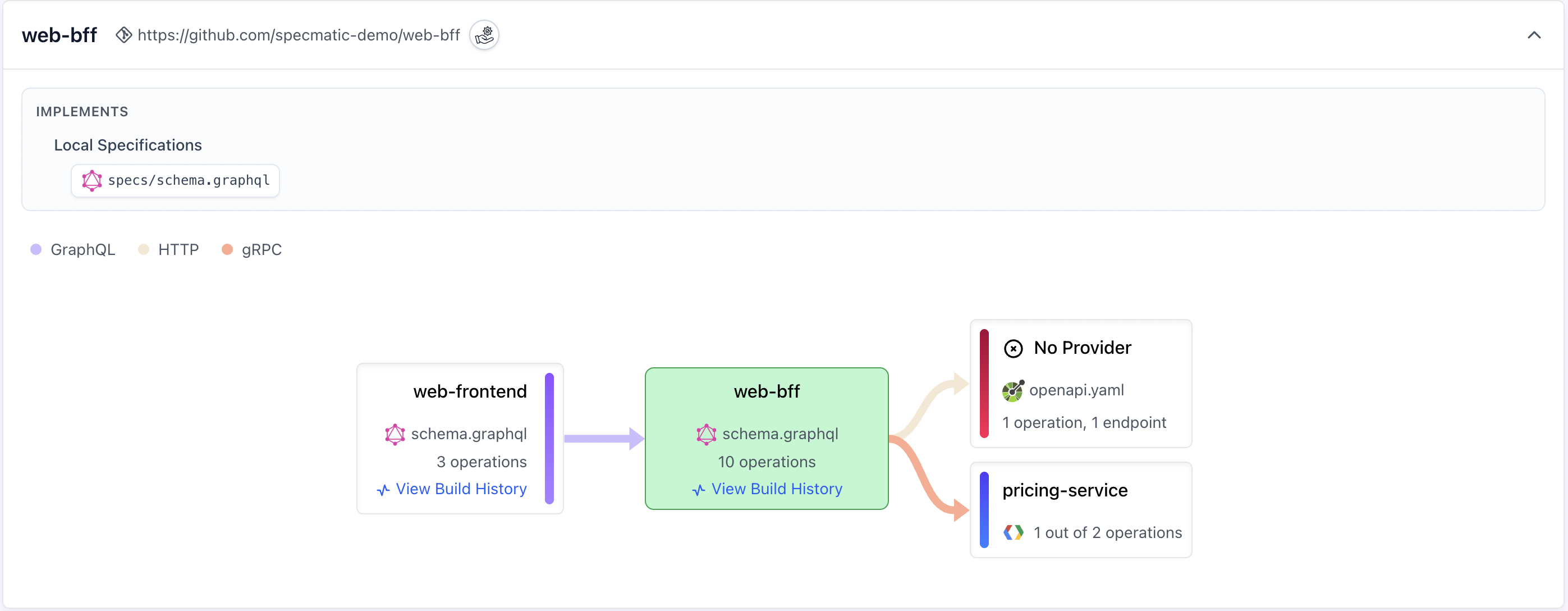
| Specification | Operations | Provider | Tested | Consumer |
|---|---|---|---|---|
web-bff/schema.graphql | 10 | web-bff | 10 | 3 by web-frontend |
pricing-service/pricing.proto | 2 | pricing-service | 2 | 1 by web-bff |
catalog-service/openapi.yaml | 7 | Missing | 0 | 1 by web-bff |
The consumer-only operation is GET /catalog/items with response code 200. web-bff uses it, but no provider build has been published for catalog-service.
The corresponding Service View block looks like this:
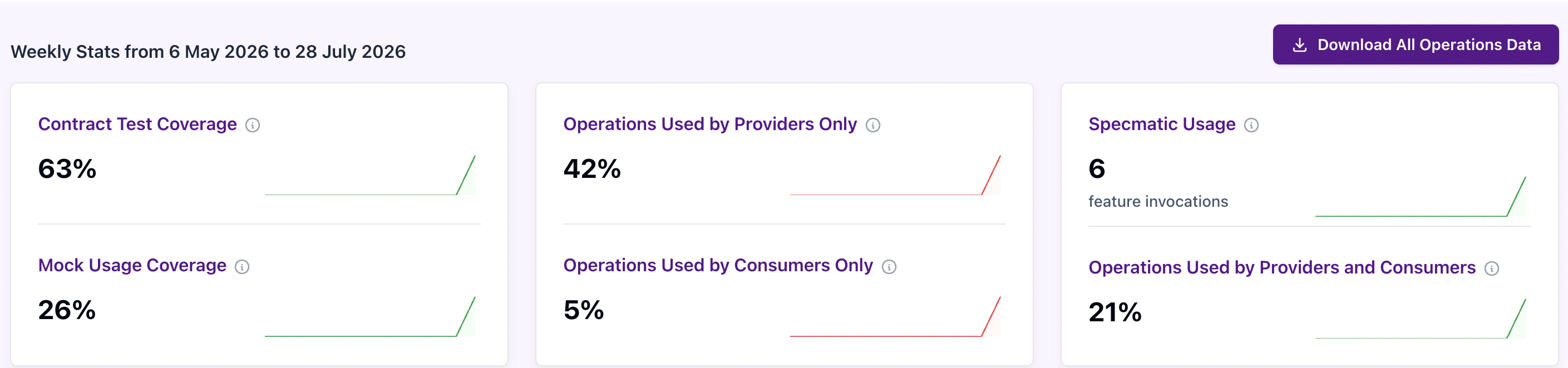
This is how the top level charts can look:
The contract surface therefore contains 19 operations in total:
- provider-covered/tested operations =
12 - consumer-used/mocked operations =
5 - operations used by both providers and consumers =
4 - operations used by providers only =
8 - operations used by consumers only =
1
So the cards would read:
- Contract Test coverage =
12 / 19 = 63% - Mock Usage coverage =
5 / 19 = 26% - Operations used by both providers and consumers =
4 / 19 = 21% - Operations used by providers only =
8 / 19 = 42% - Operations used by consumers only =
1 / 19 = 5%
Reading the cards and drill-down drawers together
Select a card to open its drill-down drawer. The card gives the organization-wide percentage; the drawer shows the same metric as a count and percentage, followed by specification-level details. Rows can be expanded or collapsed with the plus and minus controls.
Contract Test Coverage
Covered counts operations validated by provider-side contract tests. An empty Providers value means that the specification is in the contract baseline, but no provider build covers it.
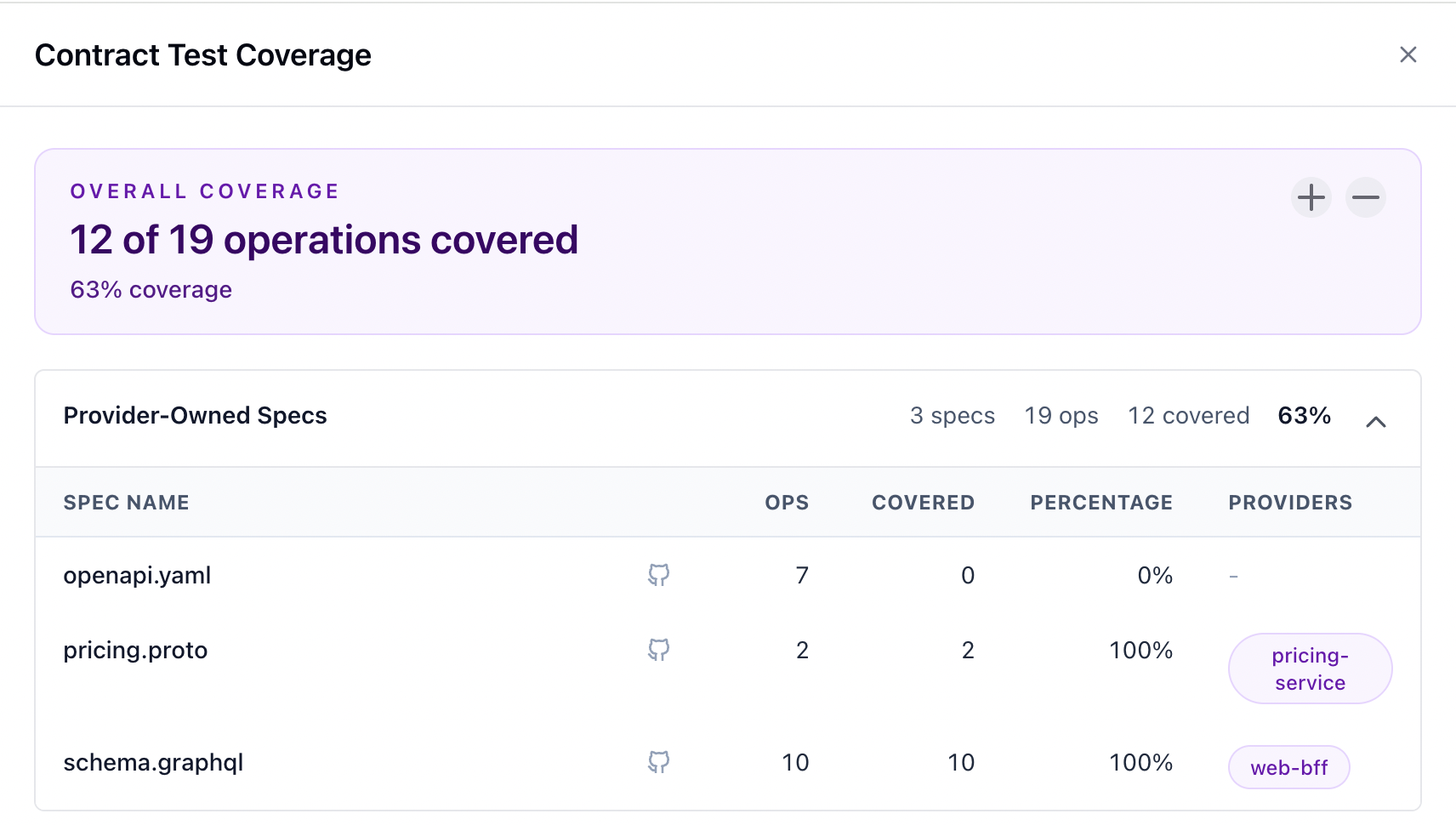
In this example:
catalog-service/openapi.yamlcontains 7 operations.- No provider build has been published for
catalog-service. - Therefore, Insights records
0covered operations for this specification. - The specification contributes all 7 operations to the overall denominator.
Mock Usage Coverage
Used counts operations exercised by consumers through mocks. The Consumers column identifies those consuming services.
In this example:
catalog-service/openapi.yamlcontains 7 operations.web-bffuses 1 operation through a mock.- The remaining 6 operations are not currently used by a consumer.
- The missing provider build does not remove the specification or its operations from the usage calculation.
- The result for this specification is
1 / 7 = 14%mock usage.
Operations used by both providers and consumers
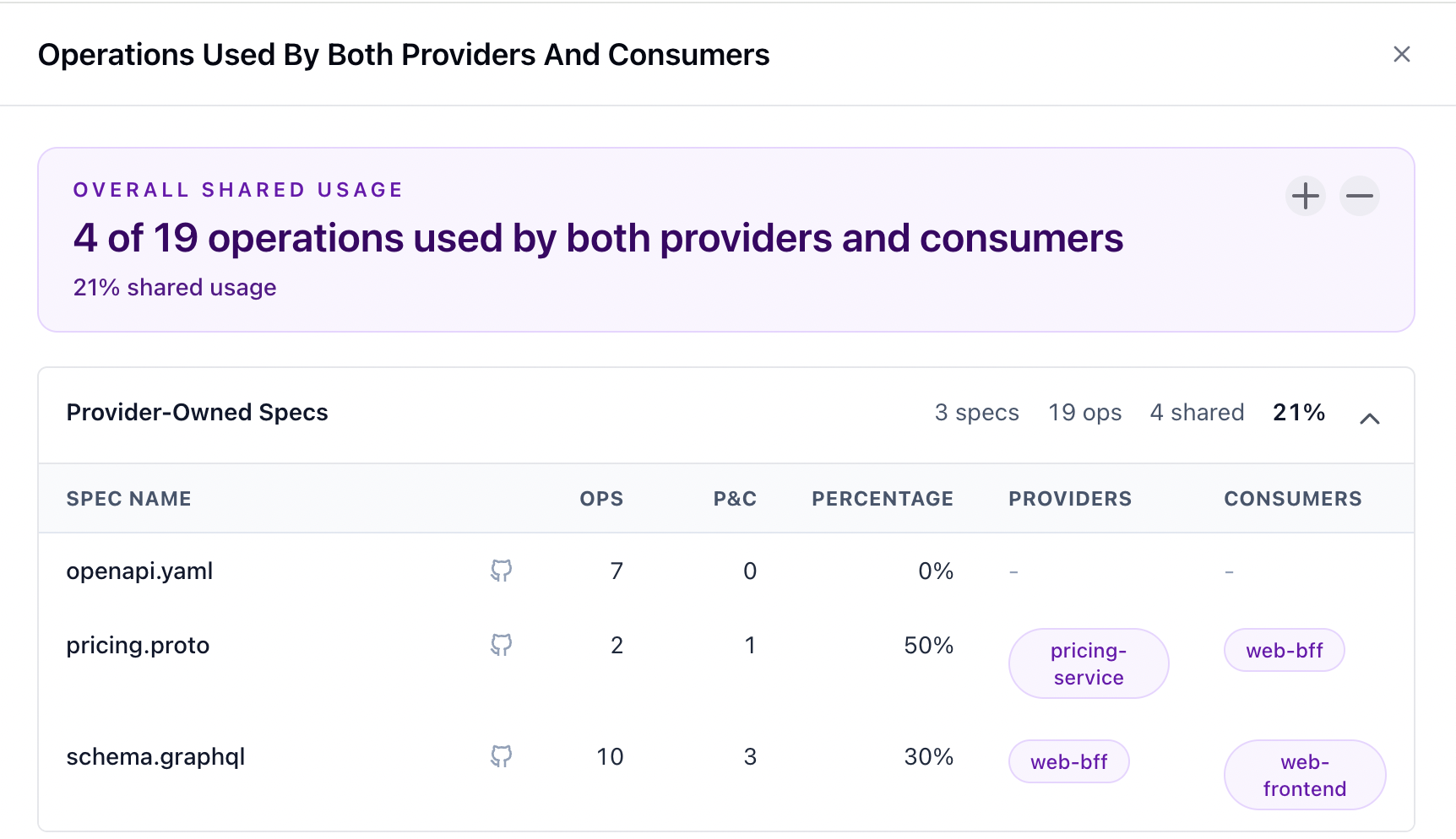
P&C counts operations that are both provider-tested and consumer-mocked. The drawer shows the associated providers and consumers.
In this example:
web-frontenduses 3web-bffGraphQL operations through mocks.web-bffuses 1pricing-serviceoperation through a mock.- All 4 operations also have provider-side contract test coverage.
- The overall shared usage is
4 / 19 = 21%.
Operations used by providers only
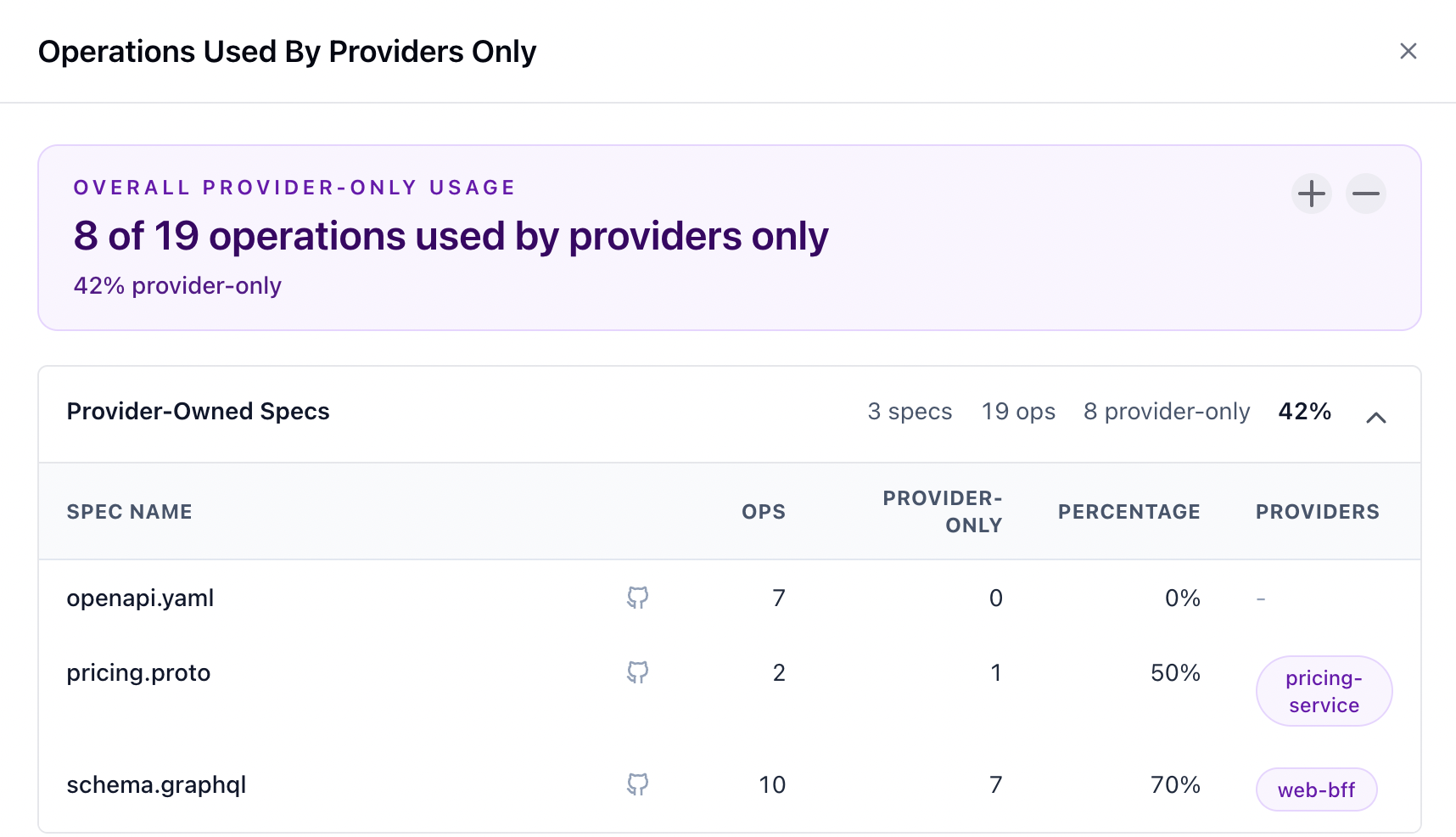
Provider-only counts provider-tested operations that no consumer currently uses through mocks.
In this example:
web-bffhas 7 provider-tested GraphQL operations that no consumer mocks.pricing-servicehas 1 provider-tested operation that no consumer mocks.catalog-servicecontributes 0 provider-only operations because it has no provider coverage.- The overall provider-only count is
8 / 19 = 42%.
Operations used by consumers only
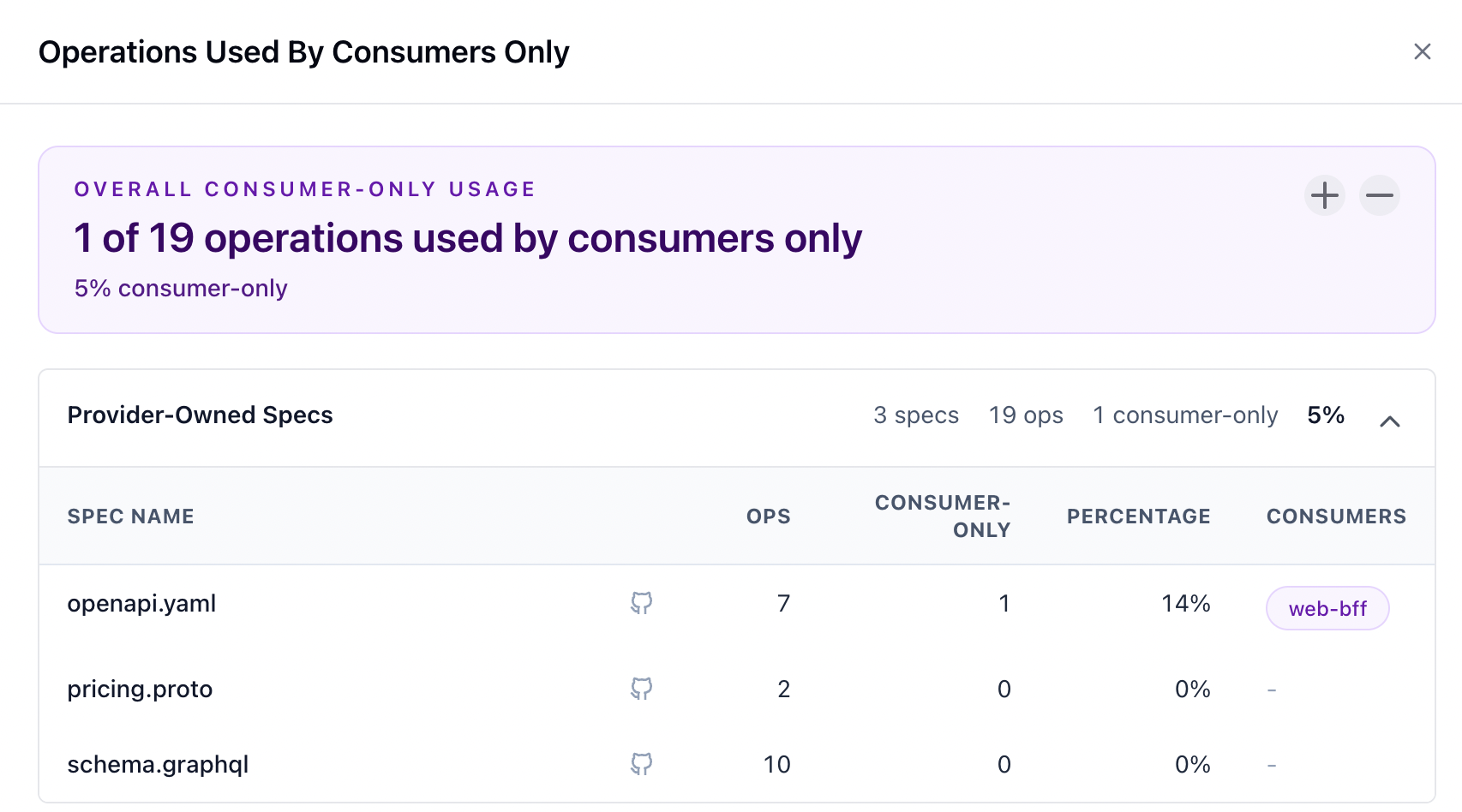
Consumer-only counts mocked operations that have no provider-side contract test coverage.
In this example:
web-bffuses 1 catalog operation through a mock.- No provider build covers that operation.
- The operation is therefore classified as consumer-only.
- The overall consumer-only count is
1 / 19 = 5%.